Scan with LiDAR
A friend circles you with the iPhone for about a minute. A live LiDAR view shows what's captured and where the gaps are.
Scan your body as often as you like, compare scans side by side, and measure your waist, hips and chest right on the model.
Free to store up to 10 scans, and redoing a scan never counts against you. Premium stores unlimited scans, with the first month free.
Change is slow and easy to miss day to day. Regular 3D scans make it visible, and measurable.
A friend circles you with the iPhone for about a minute. A live LiDAR view shows what's captured and where the gaps are.
Every scan becomes a textured 3D model sized to real life, organized in folders by pose: relaxed, double bicep, side chest.
Tap to wrap a measuring ring around your waist, hips, chest, arms or legs, then slide it along the body to find the spot you want.
Put two scans next to each other, standing on the same floor at the same scale, and measure both.
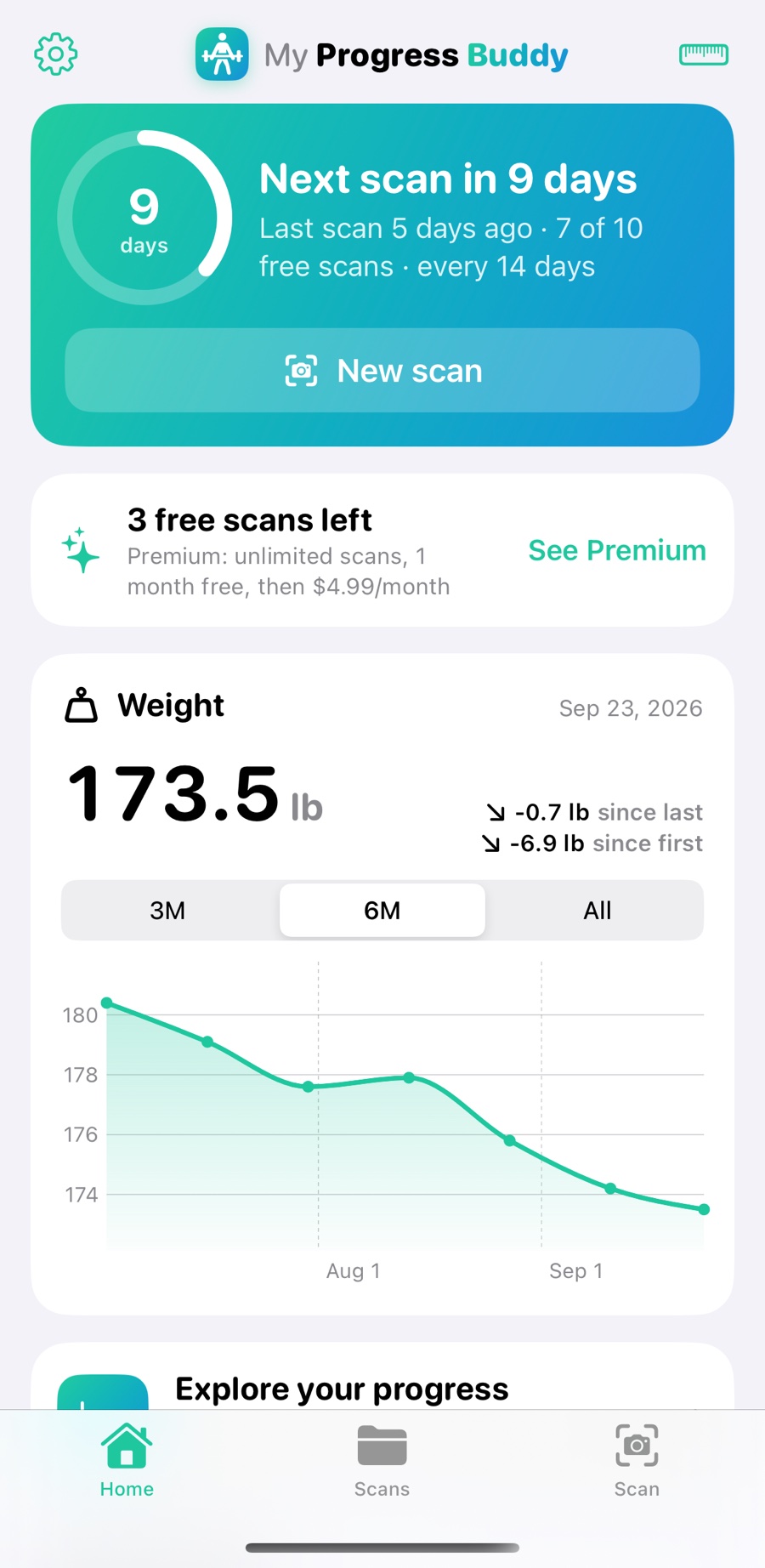
A countdown to your next scan, your weight trend, and Explore to see your weight by folder, condition and period.
"How has my weight changed in My Progress Buddy?" or "When is my next scan?" Answers come from the data on your iPhone.
Many body-scan apps take a few photos and let AI reshape a generic avatar to fit. My Progress Buddy measures you: the LiDAR depth sensor maps your actual shape, and your own photos are wrapped onto it, so the model you see is you.
Put any two scans side by side, standing on the same floor at the same true size, so the difference you see is real.

Both models stand on the floor at their measured true size, so a bigger waist on screen is a bigger waist.
Place a measuring ring on each scan and slide it up or down the body. Line both up on the same spot, like the belly button, and read the change.
Measure one scan, then tap Same spot and the other scan's ring jumps to the matching place, so every check is like for like.
A few minutes a scan. Capture as many poses as you like, group them in folders, and scan again in a week, a month, or whenever suits you to see your progress.
Stand about 5 feet from your helper in bright, even light and stay completely still until the scan ends.
Your helper walks slowly around you in a few passes, upper body first, then working down. Keep the scan if the LiDAR view has no holes, or redo it.
Your 3D model is built right on your iPhone. Measure it, log your weight, and compare it with last time.
Even a small shift or drifting arms can blur the model. Keep heavy breathing to a minimum, pick a pose you can hold, and don't move until your helper finishes.
Bright, even light gives a sharper, more complete model. Avoid dim rooms, strong shadows and bright windows behind you.
Loose hair covers your neck and upper back, so those parts come out patchy. A bun or ponytail up high keeps them clear to scan.
One lap is rarely enough. Focus the first pass on the upper body, then work lower with each pass. Keep the whole body in frame, and step closer for spots like under the arms and between the legs.
Body scans are about as personal as data gets. So My Progress Buddy does all the work on your iPhone, using its own chip, and never sends your scans anywhere.
Start free. Upgrade when you want your whole history.
$0
$4.99 / month
Premium renews monthly through your Apple ID after the free month unless you cancel at least 24 hours before it ends. Prices in US dollars; local prices may vary.
Scanning needs an iPhone with a LiDAR sensor: iPhone 12 Pro, 12 Pro Max, and every newer Pro and Pro Max model. On other iPhones you can still view, compare and measure scans.
Yes. A second person holds the iPhone and walks around you while you hold a pose. It takes about a minute.
It's really you. The shape comes from your iPhone's LiDAR depth sensor measuring your body from every angle, and it's textured with your own photos. Nothing is guessed by AI or reshaped from a template, which is why the measurements reflect your actual body.
They're built for tracking your own change over time: scan in the same pose, place, light and clothing, and compare like with like. Each reading is checked against the scan's depth data and marked Supported or Low confidence. They aren't medical measurements.
Only on your iPhone. If you delete the app, its scans are deleted too. They're included in your iPhone's own iCloud or computer backups if you have those turned on.
No. Scanning, building the 3D model and every measurement happen entirely on your iPhone. Your photos, depth data and models are never uploaded, and the app works offline.
Storing up to 10 scans is free. Scans you redo or discard don't count, so you can retake one as often as you need. To store more than 10, Premium is $4.99 a month for unlimited scans, with the first month free. It renews through your Apple ID until you cancel.
As often as you like. Many people scan every week or two, or once a month. Home counts down to your next scan on the schedule you choose, and you can scan any time.
Yes. Capture as many poses as you like, such as relaxed, double bicep or side chest, and group each pose in its own folder so later scans compare like with like.
No. Premium is tied to your Apple ID, so it follows you to a new iPhone. Use Restore Purchases in Settings if needed.